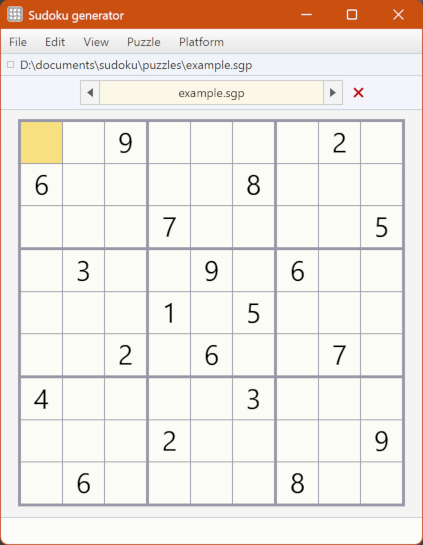
SudokuGenerator is a JavaFX application whose main purpose
is, as its name suggests, to generate sudoku puzzles.
Features
-
You can generate puzzles with the following
grid sizes:
-
4 × 4 cells
-
9 × 9 cells
-
16 × 16 cells
-
25 × 25 cells
-
You can generate a puzzle either by specifying the number of cells that should
initially contain symbols or by supplying a template of such cells.
-
The application has an editor for creating and modifying a template that can be used
to generate a puzzle. Templates may be created with several kinds of rotational and
reflectional symmetry.
-
After you've generated a puzzle, you can start to solve it in the puzzle editor,
where you can use the keyboard or mouse to edit grid entries. The editor has an undo/redo
facility.
-
You can enter a puzzle from an external source in the editor. You can enter a puzzle
by typing its entries into an empty grid or by pasting text in a simple format.
-
You can save a puzzle to a file and load it later. You can open a puzzle file with a
command or by drag-and-drop.
-
Multiple puzzles may be open simultaneously in the application, and you can switch
easily between them.
-
There is a command to duplicate the current puzzle so that, after you've
generated or loaded a puzzle, you can solve a copy of it in the editor without
modifying the original.
-
When you're solving a puzzle, the application can check whether the current
entries will yield a unique solution. It can also assist you by finding the correct
entry for an empty cell that you've selected.
-
The application can solve a well-posed puzzle and display the
solution. It can find and display multiple solutions for a valid puzzle that is not well-posed.
-
You can transform a puzzle by flipping it horizontally or vertically, or by rotating
it by 90° or 180° (a quarter-turn or a half-turn). A well-posed puzzle will
remain well-posed after such a transformation.
-
You can copy a textual representation of the current puzzle or an image of the puzzle
to the system clipboard.
-
You can export one or more puzzles to an HTML document. If you export multiple
puzzles, they will be arranged in a table with a selectable number of columns.
-
There is a modeless directory-browser window in which you can display an overview of
the puzzles and/or templates in a chosen directory in tabular form. You can select
multiple files in the browser and open them in the main window or export them to an
HTML document.
Links
Licence
SudokuGenerator is made available under three licences: